Get ready to unlock more Disney magic with wearable technology that places convenience, fun and interactivity right on your wrist! From park entry* and Lightning Lane entry** to collecting Disney PhotoPass® memories and interactive experiences, MagicBand+ and DisneyBand+ can help make your day more enjoyable. In this guide, we’ll show you what these devices do, where to use them, how to pick the perfect design for your family and tips for setting them up before your next Disney Parks adventure or Disney Cruise Line voyage.
What’s more: Disney® Visa® Cardmembers can take advantage of Special Vacation Financing on select Disney vacation packages to help make your next Disney Parks or Disney Cruise Line getaway even easier to plan.1
Have a specific question about MagicBand+ or DisneyBand+? Jump ahead for easier navigation:
- What are MagicBand+ and DisneyBand+?
- What can I do with a MagicBand+ at the Disney Parks?
- What can I do with a DisneyBand+ on a Disney Cruise Line voyage?
- How and where can I buy MagicBand+ and/or a DisneyBand+?
- How can I set up my MagicBand+ or DisneyBand+?
- How do I know which MagicBand+ is right for me and my family?
- How do I know if an experience, show or attraction offers MagicBand+ or DisneyBand+ functionality?
*with valid theme park admission and a park reservation, if applicable
**separate valid Lightning Lane passes required
What is MagicBand+? What is DisneyBand+?
Whether you’re tapping into the Disney Parks, checking out some favorite attractions or lighting up the night, MagicBand+ and DisneyBand+ are a fashionable and functional way to help you have a smoother, more magical adventure!
But what exactly are they—and where can you use them? Let’s tap in!

What can I do with a MagicBand+ at the Disney Parks?
At the Disneyland® Resort and Walt Disney World® Resort, MagicBand+ is your companion for an easier, more connected Disney Parks experience. Here are the convenient and fun ways you can use it throughout your visit:
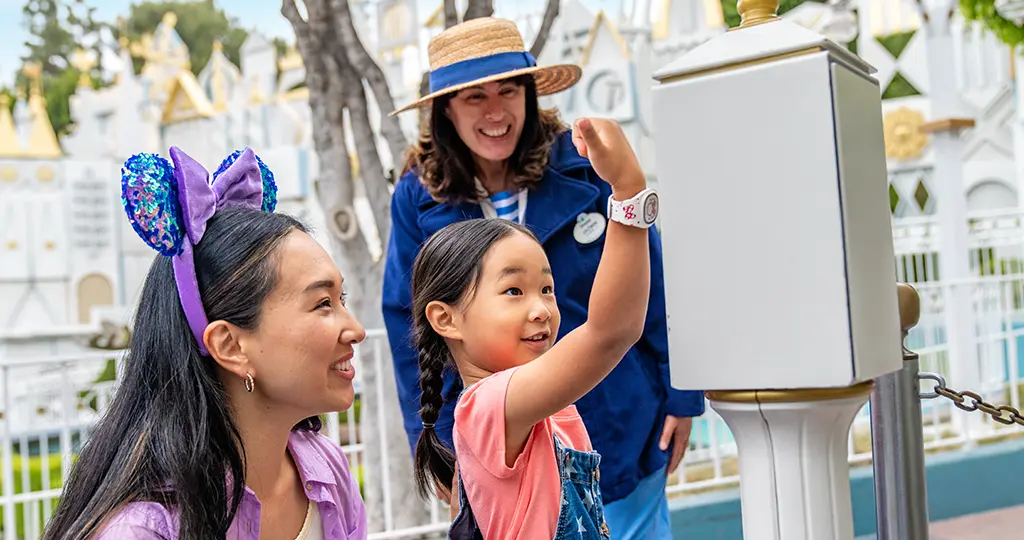
- Park entry once tickets are linked: Once tickets are linked, tap your MagicBand+ at the park entrance for quick and seamless entry with valid theme park admission and a park reservation, if applicable.
- Lightning Lane entry: If you’ve purchased Lightning Lane entry at a selected experience, your MagicBand+ can assist! When it’s time for your Lightning Lane entry, simply tap your MagicBand+ at the attraction entrance to check in.
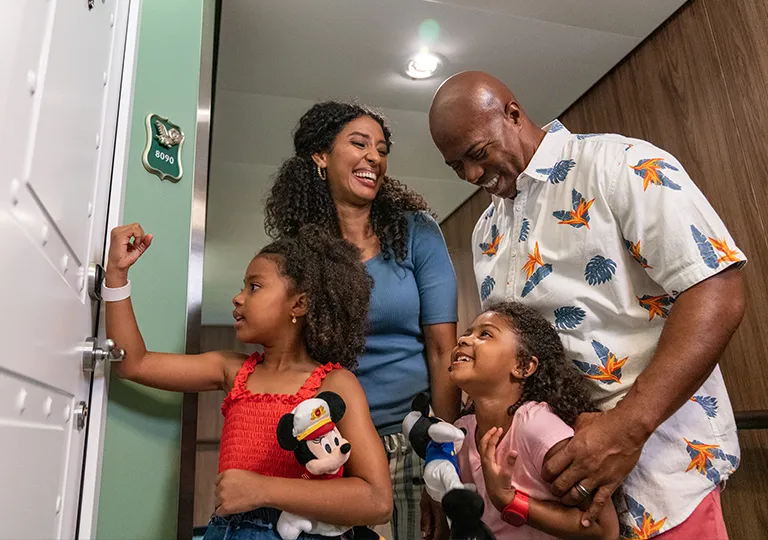
- Walt Disney World® Resort hotel room key access: Guests staying at a Disney Resort hotel can use their MagicBand+ to unlock their room door—no key card required.
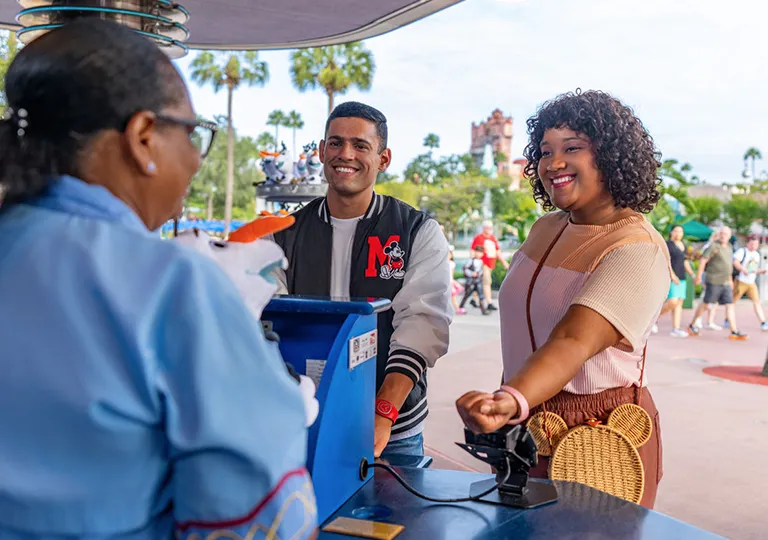
- Payment for food and merchandise at Walt Disney World® Resort hotels: Charge food and merchandise purchases to the payment card on file at your Disney Resort hotel room during your stay.
- Disney PhotoPass®: If you’ve linked your MagicBand+ to your Disney account, you can view your Disney PhotoPass® pictures on the My Disney Experience mobile app (subject to Disney PhotoPass® terms and conditions).
- Interactive experiences: See and feel your MagicBand+ come to life during select nighttime spectaculars and attractions, lighting up and reacting to what’s happening around you for an extra dose of fun!
Learn more about how to use your MagicBand+ at the Disneyland® Resort and at Walt Disney World® Resort.
What can I do with a DisneyBand+ on a Disney Cruise Line voyage?
DisneyBand+ makes sailing with Disney Cruise Line even smoother, letting you unlock convenience and fun from embarkation to farewell. Here’s how it works while aboard.
- Boarding the ship (check-in and embarkation)
Use your DisneyBand+ during embarkation for a quicker check-in and an easy way to board the ship. - Unlocking stateroom doors
Tap your DisneyBand+ to access your stateroom—no need to carry a separate key card. - Making onboard purchases (linked to stateroom account)
Guests can charge specialty food and merchandise to the payment card on their stateroom folio, adding convenience to the cruise experience! - Checking in at Youth Clubs
Children who are 10 and under and are registered for youth club activities can use their DisneyBand+ to access Disney’s Oceaneer Club and Disney’s Oceaneer Lab. It’s recommended to charge the DisneyBand+ beforehand, but young Guests can also be issued a Disney Oceaneer Band if the DisneyBand+ battery runs out of power during the fun, ensuring little explorers’ adventures can proceed uninterrupted! - Photos
Your DisneyBand+ link photos taken by onboard photographers via Shutters: The Onboard Photography Service to your folio so you can view and purchase them later. Whenever Disney photographers take your picture, they will tap your DisneyBand+ to their device so your account receives the photo. Head here more information. - Additional Cruise functionality for DisneyBand+
Your DisneyBand+ also interacts with select onboard experiences, helping you dive into new surprises and special moments throughout your voyage.
Learn more about how to use your DisneyBand+ with Disney Cruise Line.
How and where can I buy a MagicBand+ and/or DisneyBand+?
Whether you’re planning your next Disney Parks visit or setting sail on the high seas on a Disney Cruise Line voyage, it’s easy to find and personalize your MagicBand+ or DisneyBand+ before your trip—or even once you’ve arrived. Here’s how to get started:
- Before your getaway
Walt Disney World® Resort Guests staying at a Disney Resort hotel may purchase a MagicBand+, including customized options, before arrival. This is available only to U.S. residents, and Guests must sign in via this page or through the My MagicBands and Cards section of My Disney Experience. Guests can also get a jump on the fun by exploring the full selection of MagicBand+ designs on DisneyStore.com! You’ll find everything from classic Character art to Limited Release looks that show off your Disney fandom. Order your favorite before your visit so it’s ready to link and wear as soon as your vacation begins! - During your getaway
Didn’t purchase your MagicBand+ ahead of time or spotted a new design on your vacation that feels more “you”? You’ll find plenty of options available at shopping locations throughout the Disney Parks and Disney Resort hotels. Pick one up in person and link it right away through your Disney account! - Ordering and using DisneyBand+ on your cruise
For Guests sailing with Disney Cruise Line, ordering a DisneyBand+ in advance is the easiest way to be ready to go for embarkation day. Log in to your cruise reservation (under My Reservations) to select and purchase your DisneyBand+ online, which will be available to order at least 11 days before departure. DisneyBand+ can also be purchased on board at select merchandise shops, giving you flexibility whether you plan ahead or decide on a DisneyBand+ once you’re on the ship. - If you already have a MagicBand+, you can use it as a DisneyBand+ during your Disney cruise for select ships and itineraries. Guests using a MagicBand+ previously used in the theme parks should ensure it’s linked to their account. If it appears in your account, you’re good to go! If it does not appear, select the “Link” button. You can also check with a terminal agent at check-in if you need additional support.
How can I set up my MagicBand+ or DisneyBand+?
Getting your MagicBand+ or DisneyBand+ ready for your vacation is quick, easy and opens the door to all the Disney delights waiting for you!
- Connect your Magicband+ or DisneyBand+
Link your MagicBand+ or DisneyBand+ to your My Disney Experience account for Walt Disney World® Resort, the Disneyland app for the Disneyland® Resort, or your Disney Cruise Line account for stateroom access, onboard purchases and more. - Set up your MagicBand+ or DisneyBand+
Follow the prompts in the app to activate your MagicBand+ or DisneyBand+ and customize things like notifications, color effects and interactive surprises. Soon your MagicBand+ or DisneyBand+ will be ready to light up, buzz and help you glide through your Disney day! - Troubleshoot your MagicBand+ or DisneyBand+
If your MagicBand+ or DisneyBand+ is not responsive, don’t despair—check that it’s charged and Bluetooth is switched on. For stubborn issues, pop by Guest Services at the Disney Parks, Disney Resort hotels or on your cruise or visit the Disney Help Center for extra tips.
How do I know if an experience, show or attraction offers MagicBand+ or DisneyBand+ functionality?
Wondering where your MagicBand+ or DisneyBand+ can light up, buzz or interact? Here’s how to find out:
- Spot the tap points
Keep your eyes peeled for glowing Mickey Mouse symbols at attraction entrances, in queues and around the Disney Parks or your Disney Cruise Line voyage. These tap points indicate where MagicBand+ and DisneyBand+ can trigger special interactions. - The Disneyland® Resort
Open the Disneyland app to see which attractions, shows and experiences are compatible with MagicBand+. - Walt Disney World® Resort
Check the My Disney Experience app for a list of attractions, shows and experiences that support MagicBand+. - Disney Cruise Line
On your cruise, DisneyBand+ unlocks interactive experiences throughout the ship. Check your Disney Cruise Line account or ask Cast Members on board to see which experiences are DisneyBand+ enabled.
How do I know which MagicBand+ is right for me and my family?
Finding the perfect MagicBand+ is part of the adventure! Here are some considerations to pick the one that’s just right for you:
- Different design styles
From classic designs featuring Mickey Mouse and some other favorite Characters, to park icons like Sleeping Beauty Castle, there’s a style to match every personality and spark your excitement before you even take off for your Disney getaway! Whether you’re looking for something more understated or a MagicBand+ that pops on your wrist, explore available styles at DisneyStore.com. - Limited editions and special releases
Keep an eye out for seasonal or Limited Release MagicBand+ styles that might make your collection truly one-of-a-kind. - Customization options
Add your name to the MagicBand+ when you pre-order via the My MagicBands and Cards section of My Disney Experience and pick your favorite light effects in the app so it feels like your MagicBand+ was made just for you. This option is only available to Guests with upcoming Disney Resort hotel reservations or for new or renewing Walt Disney World® Resort Annual Passholders. - Matching band to park outfit
Coordinate with your vacation wardrobe or Character-themed outfit for extra fun photos and another way to show off your Disney style! MagicBand+ is offered in many colors to match almost any outfit you could imagine.

Frequently Asked Questions About MagicBand+ and DisneyBand+
- Q: Do Guests need a MagicBand+ at the Disney Parks?
A: Nope! A MagicBand+ is not required to visit Walt Disney World® Resort or the Disneyland® Resort. Guests can still use their tickets via the My Disney Experience account for Walt Disney World® Resort or the Disneyland app for the Disneyland®Resort or physical cards for park entry, Lightning Lane entry and other features. - Q: Do Guests need a DisneyBand+ for a Disney Cruise Line voyage?
A: Not at all! DisneyBand+ is completely optional on a Disney Cruise Line voyage. Guests can use it for stateroom access, onboard purchases and interactive experiences, but it is not required for boarding or enjoying the cruise. - Q: Can I use my DisneyBand+ at the Disney Parks?
A: Yes, you can! Your DisneyBand+ for Disney cruises can be used in place of a MagicBand+ at Walt Disney World® Resort and the Disneyland®Resort. - Q: What is the difference between MagicBand and MagicBand+?
A: MagicBand+ offers enhanced features such as lights, vibrations and interactive experiences that the original MagicBand does not. Both still work for park entry, tickets and Walt Disney World® Resort hotel room access, but only MagicBand+ provides the extra interactivity. - Q: Can I still use my original MagicBand or MagicBand 2 at the Disney Parks?
A: While the original MagicBand and MagicBand 2 are no longer available for purchase, Guests who already have one of these devices can keep using them at Walt Disney World® Resort for room access, park entry and other features. The MagicBand remains compatible and functional alongside MagicBand+. The original MagicBand does not, however, offer the enhanced features and interactions of MagicBand+. Even though the original MagicBand isn’t officially available for purchase anymore, it’s still a trusty sidekick for Disney Resort hotel room access, park entry and other handy features. Keep wearing it and enjoy all the classic conveniences you know and love—but know that you can purchase a MagicBand+ for fun interactive elements added to your Disney Parks experience (or with a DisneyBand+ for Disney Cruise Line experiences!). Please note that MagicBand and MagicBand 2 are not supported at this time at the Disneyland® Resort or on Disney Cruise Line. - Q: How does MagicBand+ interact with attractions and shows?
A: MagicBand+ interacts with select attractions, shows and experiences through lights, vibrations and haptic effects. Guests may see special effects triggered by tap points and enjoy more immersive experiences in the parks. - Q: How customizable are the light patterns on MagicBand+?
A: Guests can customize light effects and color patterns on their MagicBand+ using the Disney app, creating a more personal and fun experience while exploring the parks. - Q: How do you charge a Disney MagicBand+?
A: MagicBand+ charges with the included USB charging cable. A full charge typically takes a few hours and is designed to last through a day of Disney Parks activities. - Q: What do the haptics on MagicBand+ do?
A: Haptics provide vibrations and tactile feedback for interactive experiences, alerting Guests to special effects or notifications during their Disney Parks visit. The haptics create gentle vibrations that let you feel part of the magic—like a secret signal during special moments. - Q: How does a MagicBand+ work with Disney parks access and Lightning Lane passes?
A: MagicBand+ can be linked to the My Disney Experience app, which can be linked to park tickets and Lightning Lane passes, so Guests can tap and go without the need for physical tickets or mobile phone access. - Q: Can MagicBand+ be used for Disney PhotoPass®?
A: Yep! MagicBand+ can be used to link and collect Disney PhotoPass® photos automatically at the Disney Parks when linked to your Disney account. Your MagicBand+ automatically syncs Disney PhotoPass® pictures after select attractions and Character encounters—as long as the device has sufficient battery to receive photos. - Q: Are MagicBand+ and/or DisneyBand+ waterproof?
A: Both MagicBand+ and DisneyBand+ are water-resistant and can be worn in pools, water rides and in wet weather, but they are not designed for extended underwater use. So no need to worry about rain, attractions or pool time—just be sure to avoid those deep dives!
Way to go—you’re officially a MagicBand+ and DisneyBand+ expert! From tapping into Lightning Lane entrances to collecting those Disney PhotoPass® moments, you now know how to unlock every bit of Disney fun with a tap of your wrist. Ready to put that knowledge into practice? You’re in luck: Cardmembers can use Special Vacation Financing on select Disney vacation packages to plan their next Disney Parks adventure or Disney Cruise Line voyage with ease.1