Card Tips & Fun

Disney Pumpkin Decorating: 3 Enchanting How-Tos for Halloween

Disney Halloween Pumpkin Decorating DIY

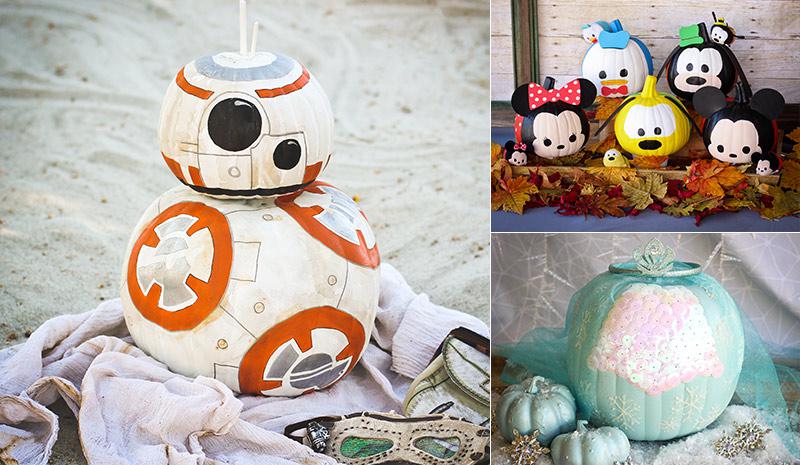
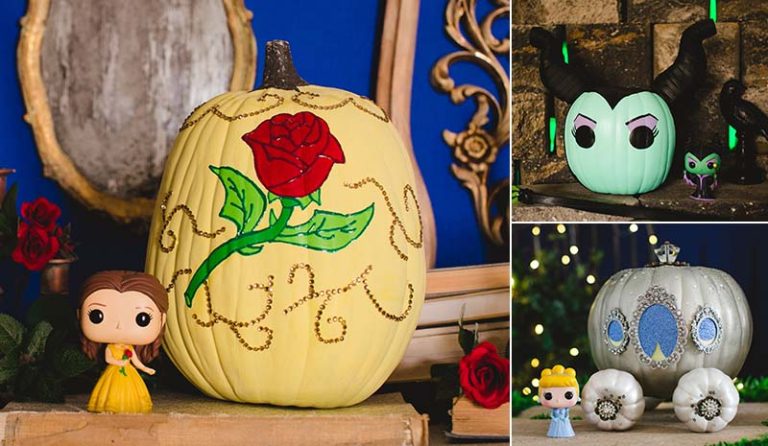
Nothing captures the spirit of Halloween more than carving up a few pumpkins, but why settle for a simple Jack-o-lantern when you can have the coolest gourds on the block? Here you’ll find some kid-friendly designs that are light on carving and heavy on personality. Take inspiration from a sweet stack of Mickey Mouse and his pals, a glittery Frozen masterpiece and an adorable Star Wars BB-8 droid.

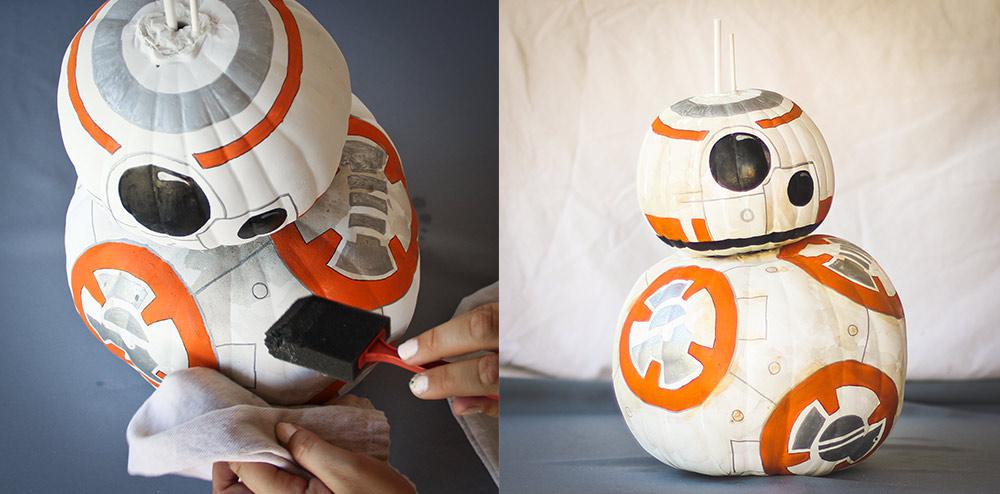
8-Step BB-8 Pumpkin DIY
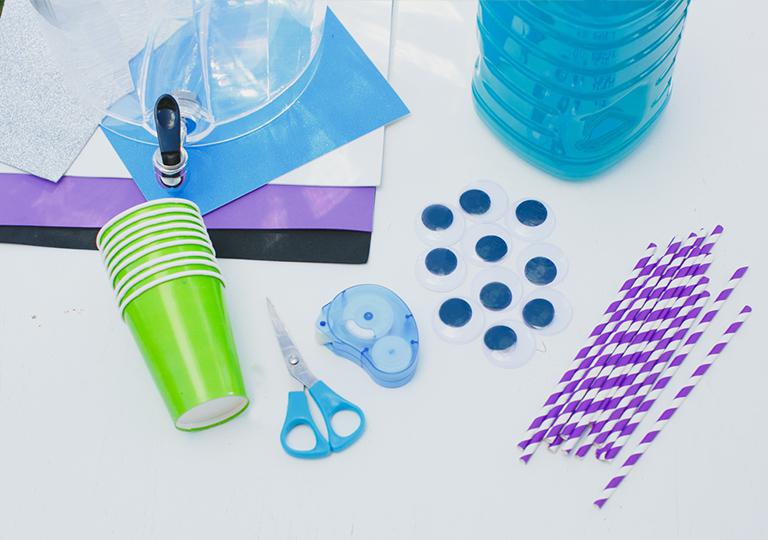
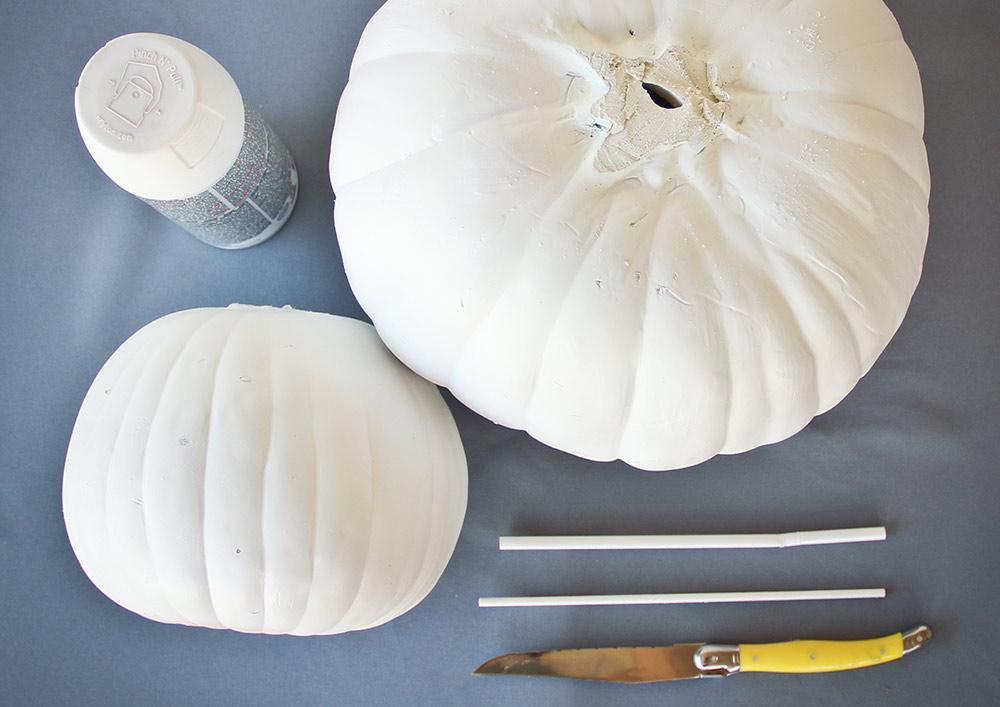
What You Need

Supplies:

  • 1 medium and 1 small pumpkin (to reuse him next year, use artificial pumpkins)
  • Provided pattern (click here to download and print)
  • Knife
  • Matte white spray paint
  • Pins
  • Fine-tipped black marker
  • Black gloss craft paint
  • Orange craft paint
  • Metallic silver pen
  • 2 straws
  • Glue gun
  • Several skewers (if using real pumpkins)
  • ½ cup water
  • Sponge/cloth
Disney DIY Projects

Step 1

Cut stems off the pumpkins. Spray stems and two straws with matte white paint. Allow to dry.
Disney DIY Projects

Step 2

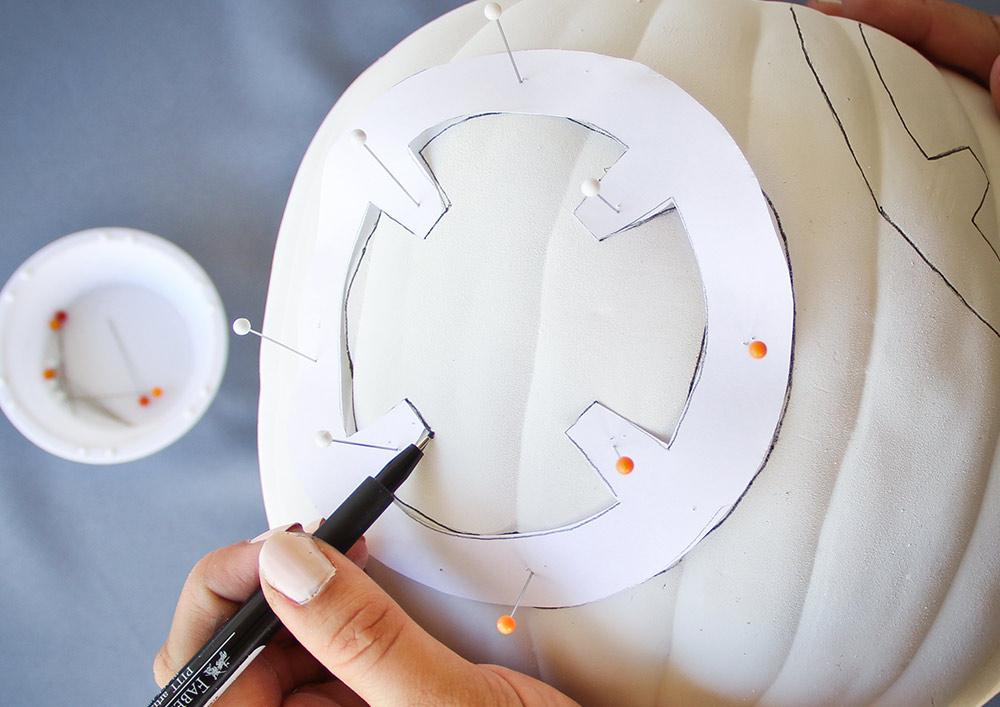
Print out and trace body pattern onto medium pumpkin: Pin the pattern to the medium pumpkin and trace with a thin black marker. Repeat this several times around the pumpkin, 2-3″ apart.

Disney DIY Projects

Step 3

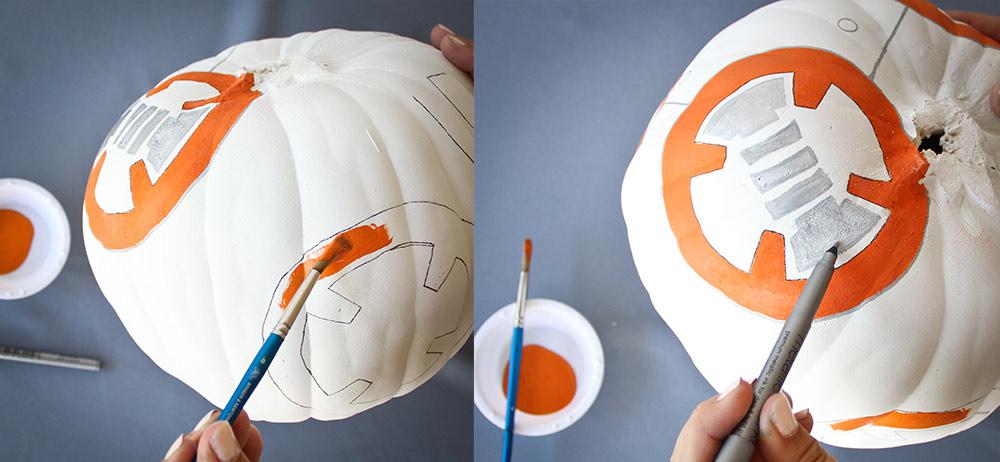
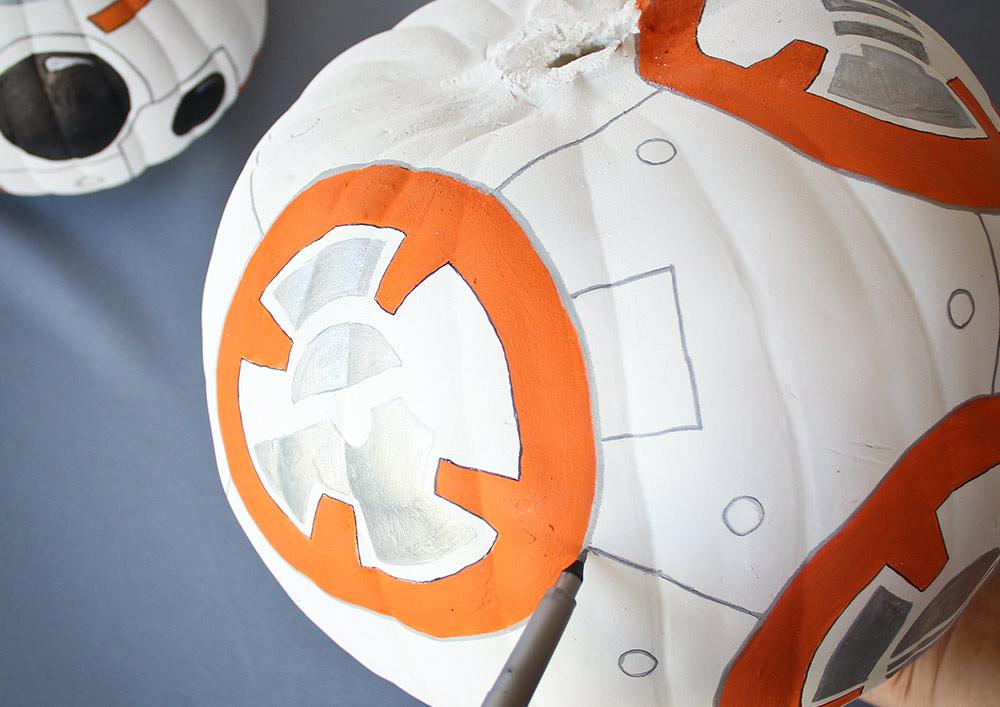
Add paint details to body: Paint the inside of each circle orange on the medium pumpkin. Fill the centers with the detailed design patterns provided using a metallic silver pen. Set aside.
Disney DIY Projects

Step 4

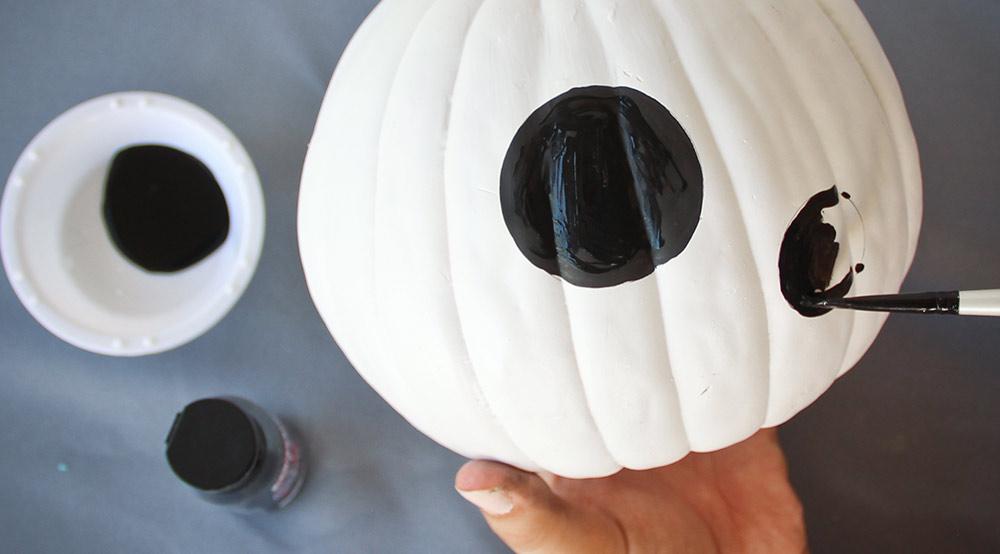
Use gloss paint on smaller pumpkin: For the smaller “head” pumpkin, paint a large, glossy, black eye in the center and a smaller circle below the eye, for the scope.
Disney DIY Projects

Step 5

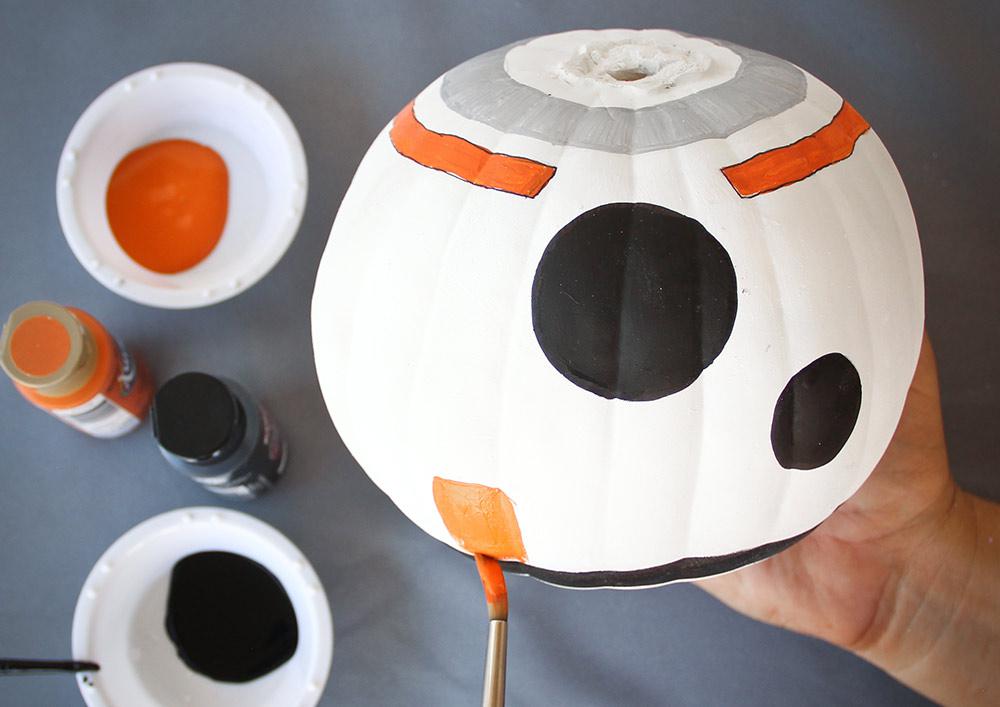
Draw the three colored bands on BB-8’s “head”: Add two upper bands – one with the silver marker and one with orange paint (leaving room around the eye), and a lower band with black paint. Add a few orange rectangles along the lower, black band.
Disney DIY Projects

Step 6

Now, fill in the details! For the “body”, use a silver pen to connect the orange painted circles with thin lines, then add a few rectangles and small circles. On the “head”, outline around the eye and scope.
Disney DIY Projects

Step 7

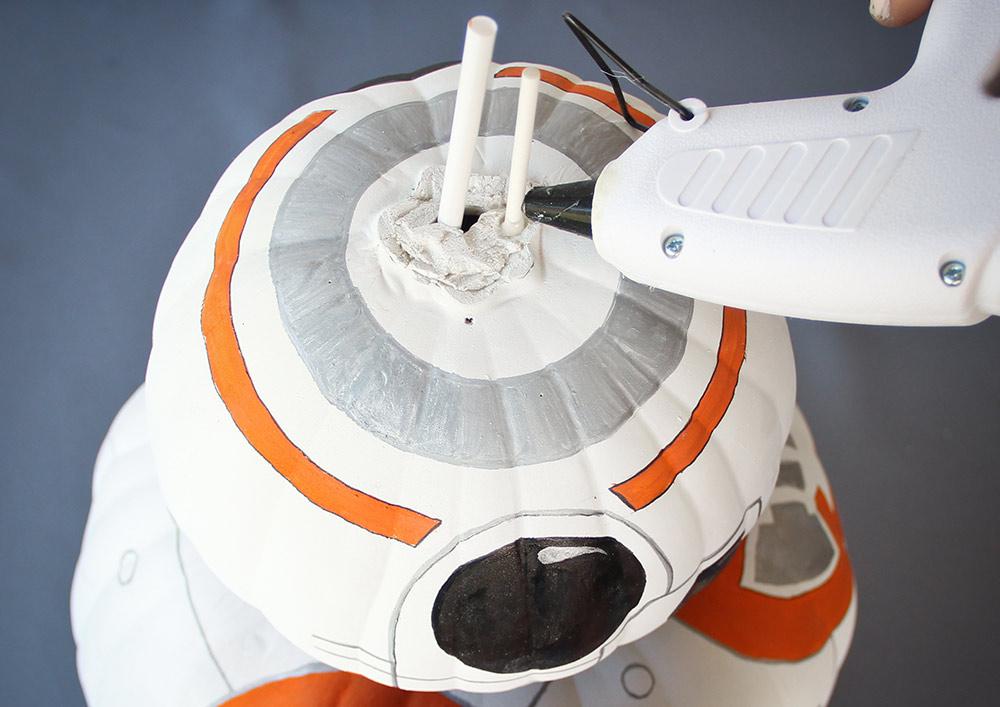
Assemble pumpkins: Join BB-8’s “head” and “body” with skewers if using real pumpkins or hot glue for artificial ones. Glue on BB-8’s straw antennas.
Disney DIY Projects

Step 8 (Optional)

Once it’s completely dry, add weathered look: Mix a ½ cup of water with a drop of black paint and a drop of orange paint to create a wash. Apply lightly with a sponge and wipe clean with a cloth to give BB-8 a weathered look straight from Jakku.

Div-Line

Bonus How-Tos

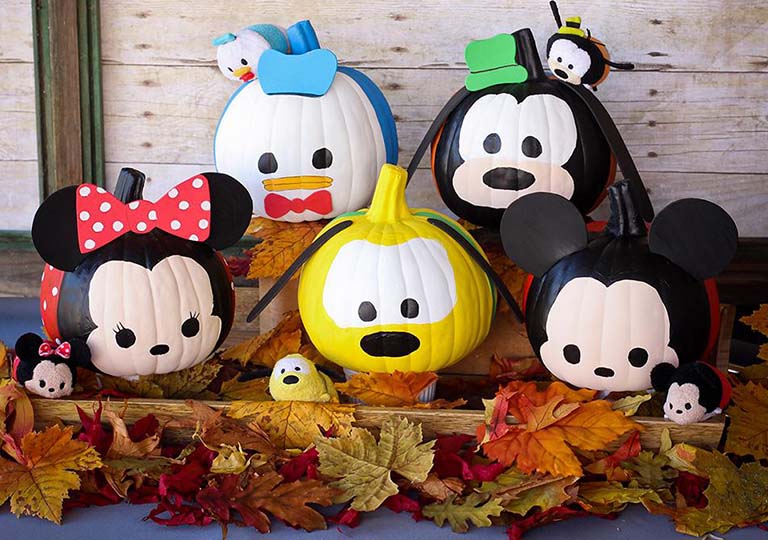
Tsum Tsum Pumpkins

DIY Mickey Mouse and Friends Pumpkins

Why stop at one when you can have a bunch? Creating your own fab five is as easy as painting face outlines, then adding adorable eyes, noses, foam ears and accessories. Use Donald Duck, Goofy, Minnie Mouse, Pluto and Mickey Mouse for inspiration — and in no time flat you’ll be ready to stack, stack, stack!
Tsum Tsum Frozen Pumpkin

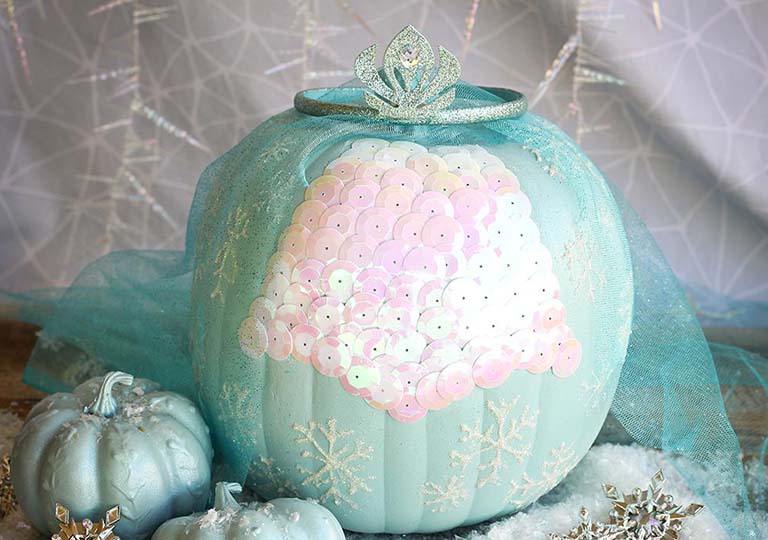
Elsa’s Frozen Pumpkin DIY

The cold never bothered this pumpkin! Spray first with Elsa blue paint and then with glitter blast paint. Use glitter glue to create snowflakes on the pumpkin and to attach sequins that make up the bodice of her dress. Then add tulle and a mini tiara to make your royal gourd ready to open up the gates for trick-or-treaters!

Disney Visa Cardmembers can redeem their Disney Rewards Dollars toward purchases to add a finishing touch like Elsa’s tiara to accompany their pumpkin creation, at Disney store and shopDisney.com.1 If you’re not yet a Cardmember, click here to learn more about the rewards and perks the Card features — which are all treat, no tricks!
1Disney Rewards Dollars

Disney Rewards Dollars are subject to the Disney Rewards Dollars Terms and Conditions for Disney Visa Credit Cards available at DisneyRewards.com/Terms.

2$300 Disney Gift Card eGift with the Disney Inspire Visa Card

This product is not available to either (i) current cardmembers of this credit card, or (ii) previous cardmembers of this credit card who received a new cardmember bonus for this credit card within the last 24 months. Upon approval of your Disney Inspire Visa Card application, you will be sent your Disney Gift Card eGift via email within hours to any valid email address. The Disney Gift Card eGift can be used at select participating locations at Walt Disney World® Resort, Disneyland® Resort, Disney Cruise Line, Disney Store locations in the U.S., DisneyStore.com, and Adventures by Disney®. Disney Gift Card eGifts are redeemable for goods and services at participating Disney locations. Disney Gift Card eGifts are not refundable or redeemable for cash unless required by law. Disney Gift Card eGifts are not for resale. Disney Gift Card eGifts are issued by, and represents a legal obligation solely of, Disney Gift Card Services, Inc. Lost, damaged or stolen Disney Gift Card eGifts may be replaced only if original email and complete card number are provided. For Disney Gift Card eGift balance inquiries, call 1-877-650-4327 or visit DisneyGiftCard.com. For complete terms and conditions (including arbitration agreement), visit DisneyGiftCard.com. The value of this offer or program may result in miscellaneous income received from Chase and we may be required to send you, and file with the IRS, a Form 1099-MISC (Miscellaneous Information) or Form 1042-S (Foreign Person's U.S. Source Income Subject to Withholding) for the year in which you participate and are awarded the benefits of the offer/program. You are responsible for any tax liability related to participating in the offer/program. Please consult your own tax advisor if you have any questions about how this could affect your taxes. Chase is not responsible for the provision of, or failure to provide, the stated benefits and services. All trademarks are property of their respective owners. If your account is not open for at least 6 months, Chase and Disney reserve the right to cancel the Disney Gift Card eGift.

3$300 Statement Credit with the Disney Inspire Visa Card

This product is not available to either (i) current cardmembers of this credit card, or (ii) previous cardmembers of this credit card who received a new cardmember bonus for this credit card within the last 24 months. Offers may vary and may not be available through all application methods when applying for the Disney Visa Credit Cards. In some instances, an application may require additional time to process. To qualify and receive your $300 statement credit, you must make Purchases totaling $1,000 or more during the first 3 months from account opening. ("Purchases" do not include balance transfers, cash advances, travelers checks, foreign currency, money orders, wire transfers or similar cash-like transactions, lottery tickets, casino gaming chips, race track wagers or similar betting transactions, any checks that access your account, interest, unauthorized or fraudulent charges, and fees of any kind, including an annual fee, if applicable.) To be eligible for this bonus offer, account must be open and not in default at the time of fulfillment. After qualifying, please allow up to 8 weeks for your credit to appear in your statement.

Clicking on the Facebook, Pinterest and other third-party links will take you away from our Disney site where different terms of use and privacy policy apply.

The Contactless Symbol and Contactless Indicator are trademarks owned by and used with the permission of EMVCo, LLC.

Deposit and credit card products provided by JPMorgan Chase Bank, N.A. Member FDIC